

Delta Key System Code: Where to Find and How to Use It
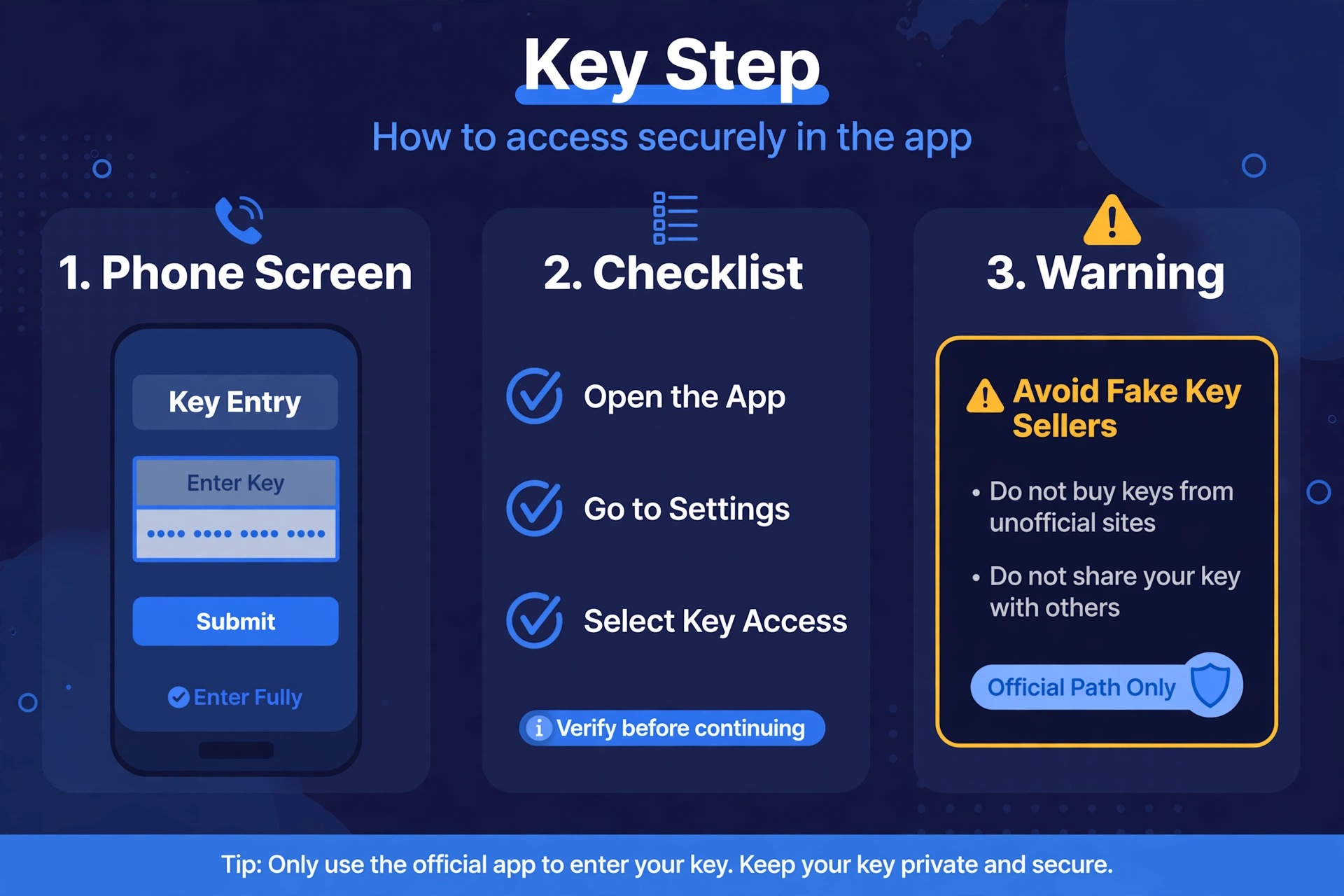
If you searched for a “delta key system code”, you probably want to know what the key step is and how to get past it without wasting time. This guide explains the key system in general terms, shows where the official key step lives, and covers what to do when things go wrong. It does not contain any key, key list, or bypass, and it never will.
Quick Answers
| Question | Short answer |
|---|---|
| What is the Delta key system? | A periodic access step the app asks you to complete before it unlocks. Keys expire, so you repeat the step later. |
| Where do you get a key? | Through the official key step, either inside the app or on the official site the app points you to. |
| Is there a free key code list? | No trustworthy one. Keys are tied to the official step, so any public “list” should be treated as a red flag. |
| What if a key stops working? | Check you entered it fully, check whether it expired, then renew through the official step. |
What the Delta key system code is
The key system is a periodic access step. Before the app fully unlocks, it asks you to complete a short process and then enter the result.
That result is the “delta executor key code” most people search for. Think of it as a temporary pass, not a permanent password.
Keys expire. When yours does, the app asks for a new one again.
Renewal means going through the official step again. There is no shortcut, and nothing you can type in to skip it.
This guide does not state how long a key lasts, because that is set by the app and can change. Check the app itself for the current details.
Where to find the Delta key system code: the official key step
The official key step lives in one of two places. It is either inside the app, or on the official site the app sends you to.
The simplest rule is this: start from the app. When the app asks for a key, follow the path it gives you.
Do not look for a delta key system code in video descriptions, pinned comments, or chat messages. Links shared there are not official, and you cannot tell who posted them.
Do not trust a page just because it ranks well in search or looks polished. Fake pages copy the look of real ones.
If you are unsure whether you are on the right page, go back to the app and start the step again from there.
It also helps to confirm that the app you installed came from a legitimate source in the first place. Our safe-download guide covers how to approach that.
How to use a key once you have it
Once you have a key, enter it where the app asks for it. The app shows a clear prompt, so there is no need to hunt through menus.
Enter it fully and exactly as it was given. Partial entries are one of the most common reasons a key appears not to work.
Keep your key private. Treat it like a personal pass tied to your session.
Do not post screenshots that show your key, even briefly. Screenshots get copied, saved, and reused.
Do not paste it into public chats or comment sections to “help” others. Each person should go through the official step themselves.
If the app has a status problem unrelated to your key, check our Delta Executor status page before assuming you did something wrong.
What to do when a key does not work
A key that fails is usually a small, fixable problem. Work through these checks in order.
- Check it was entered fully. Make sure nothing was cut off at the start or end, and that no extra spaces slipped in when you pasted it.
- Check expiry. Keys expire. If some time has passed since you got it, it may simply be out of date.
- Check attachment. Some keys are tied to the session or device where the step was completed. If you switched devices or reinstalled, the key may no longer match.
- Renew through the official step. If the checks above do not fix it, go back to the app and complete the official key step again to get a fresh one.
- Restart the app. A clean restart sometimes clears a stuck prompt.
If none of this works, avoid the temptation to search for a replacement from a third party. That is exactly where scams begin.
Scams to avoid
Anyone searching for a delta key system code is a target for scams, because the search itself signals urgency. Here is what to watch for.
Key sellers. The key step is a free-to-follow process in the app. If someone is selling you a key, you are being targeted.
Key generators. Tools that claim to generate keys are not a legitimate way to get one. Many exist only to deliver unwanted software or collect your information.
Pages asking for payment or personal details. A legitimate key step should not need your card details, passwords, or account credentials. If a page asks for them, close it.
Fake key pages. These imitate the real step and often send you through endless redirects. If a page feels wrong, trust that feeling and leave.
We do not link to any of these pages, and we never will. Nothing here should be read as a claim that any tool or download is safe, verified, or undetected. All of these carry risk, including to your accounts. Our guide on whether you can get banned for using Delta Executor explains the account-level risks in more detail.
Where to find delta key information: a short recap
If you only remember a few things, make them these:
- Start from the app, not from a search result, video, or chat link.
- Follow only the official key step.
- Enter the key fully, keep it private, and renew it through the same official step when it expires.
- Never pay for a key and never use a generator.
FAQ
Is the key free?
The key step is something you complete through the official process rather than something you buy. If anyone asks you to pay for a key, treat it as a scam. Check the app for the current details of how its own key step works.
How long does a key last?
Keys expire, but the exact length is set by the app and can change, so check the app itself for current information. We do not state a duration here because we cannot verify one.
Can I share my key?
You should not. Keep it private and do not post it in chats, comments, or screenshots. Others should complete the official step on their own.
What if the key page will not load?
Go back to the app and start the step again from there. Check your connection, try again after a short wait, and look at our status page in case there is a wider issue. Do not switch to a random mirror or link someone sends you.
Is there a no-key version?
Do not assume so. Sites and videos that advertise a “no-key” version are a common way to push people toward unofficial downloads. Stick to the official app and its official key step.
What if I lost my key?
Go through the official key step again to get a new one. Do not ask strangers for a copy, and do not search for a replacement on third-party sites.
Final thoughts
The key system is a routine access step, not a puzzle to solve. The safest approach is to begin in the app, follow only the official path, and stay away from anyone offering shortcuts.
If you are ever unsure, step back and check the app again. A few minutes spent redoing the official step is far better than risking your device or your accounts.
Related Guides
- Delta Executor status page
- Where to download Delta Executor safely
- Can you get banned for using Delta Executor?
xdeltaexecutor.com is an independent guide site and is not affiliated with Delta Executor or Roblox.
Related: Delta Key.