

Delta Executor Official Discord Server
Community, Updates & Support Hub
If you use Delta Executor for Roblox, you already know how fast things change. One day your scripts run fine; the next, Roblox pushes an update and nothing works. The official Delta Executor Discord server is where you go to stop guessing and start fixing. In this guide, I’ll walk you through exactly why you should join, how to do it safely, and what to expect once you’re inside.
What Is the Delta Executor Discord Server?
Definition and Purpose:
A central hub for Roblox scripters to collaborate, share scripts, troubleshoot issues, and stay updated.
I’ve been in a lot of Discord servers for Roblox executors, and this one actually feels alive. It’s not just a link dump – people talk, help each other, and share scripts that work right now. The purpose is simple: give Delta Executor users a single place to get news, fix problems, and swap code without digging through sketchy forums.
You’ll find channels dedicated to specific games like Blox Fruits and Pet Simulator. That matters because a script that works in one game might crash another. Being able to ask “anyone got a working auto‑farm for Blox Fruits today?” and get an answer in five minutes is the whole point.
Role Within the Delta Executor Ecosystem:
The official community platform bridging developers and users for real‑time support and feedback.
The developers of Delta Executor actually read the feedback channels. I’ve seen feature requests turn into real updates within a week. That’s rare for free tools. So the server isn’t just user‑to‑user; it’s also user‑to‑developer.
When Roblox pushes a surprise anti‑cheat patch, the devs post a hotfix in #announcements before most websites even notice. You can think of the server as the nervous system of the whole Delta ecosystem. Without it, you’re relying on outdated YouTube videos and random Reddit threads.
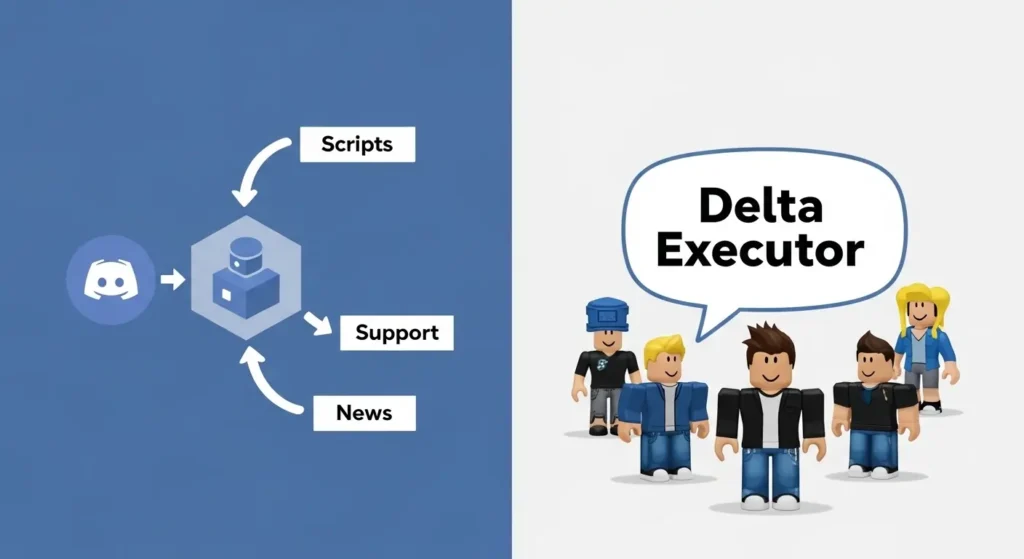
Why You Should Join the Delta Executor Discord Server
Get Instant News and Updates: Be the first to hear about new executor versions, Roblox patch responses, and upcoming features.
Roblox updates every few weeks, but emergency patches happen overnight. I once woke up to a “client update” that broke every executor. The Discord server had a pinned message within two hours explaining what changed and when Delta would be fixed.
You don’t need to check a website constantly. Just leave Discord open on your phone, and #announcements will buzz you. That alone is worth joining – being hours ahead of everyone else means you can keep playing while others are stuck.

Access Expert Technical Support: Receive help directly from experienced users for installation, injection errors, and key system problems.
The support channel runs like a busy help desk. Someone always seems to be online. I’ve watched a new user fix a “failed to inject” error in under ten minutes because a moderator recognized the problem instantly (missing Visual C++ redistributable, by the way).
You can also open a private ticket if you don’t want to post error logs publicly. The ticketing system is slower but more thorough. Either way, you’re talking to humans who actually use Delta every day, not a FAQ written two years ago.
Discover and Share Scripts: Find working scripts for popular games like Blox Fruits and share your own creations.
Script repositories on random websites are often broken or malicious. The Discord’s script‑sharing channels are moderated not perfectly, but enough that dangerous links get deleted fast. I’ve grabbed working auto‑farm scripts for Blox Fruits and even a simple stat‑editor for Pet Simulator.
If you write your own Lua scripts, you can post them and get feedback. Sometimes people optimize your code in ways you didn’t expect. Just don’t dump the same script every hour; the mods frown on that.

Connect With a Global Community: Join channels for general discussion, game‑specific chats, and collaboration with like‑minded players and developers.
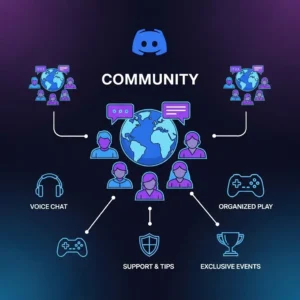
There’s a general chat where people talk about everything from Roblox drama to what they’re playing on PlayStation or Xbox. It’s not strictly business. That matters because it makes the server feel less like a support ticket system and more like a clubhouse.
I’ve teamed up with people from the server to grind raids in games where scripting alone isn’t enough. You get to know regulars by their usernames. After a few weeks, it stops being “a server” and starts being a group of friends who happen to use the same executor.
Inside the Delta Executor Community
Key Features & Channels
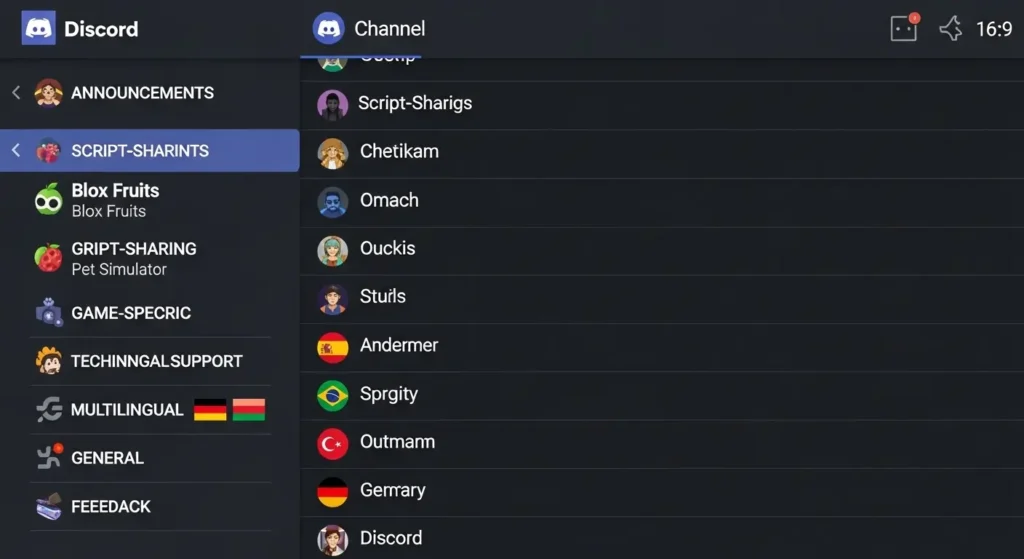
Announcements & News Channels:
Get real‑time information on executor status, scheduled downtime, and security patches.
This channel is read‑only for most people. Only moderators and the dev team can post. That’s good – no noise, just facts. When a new Delta version drops, the download link appears here first. If the key system is temporarily down, they’ll say so.
Subscribe to this channel’s notifications. You’ll never miss a critical update again.
Script Sharing & Game‑Specific Hubs: Discover and share scripts in dedicated channels for popular games like Blox Fruits, Pet Simulator, and more.
Each popular game has its own channel. Blox Fruits has one. Pet Simulator has another. Even smaller games like King Legacy show up. This organization saves you from scrolling through a single massive script channel.
Before you post a script, check the pinned messages. Often there’s a known “best” script that everyone uses. If yours does something new, share it. If it’s just a copy of something already there, you might get ignored.
Technical Support & Ticketing System:
Submit tickets for personalized help with injection failures, key errors, and installation issues.
For simple stuff – “where is the key?” – just ask in #support. But for weird problems like “Delta crashes as soon as I inject on Windows 11 version 22H2,” open a ticket. A support member will create a private channel and walk you through logs and screenshots.
Tickets are first‑come, first‑served. During peak hours (evenings US time), you might wait 30 minutes. But the help is usually detailed, not just “try reinstalling.”
Multilingual Support for Global Users: Find help and discussion in multiple languages, including Spanish, Portuguese, Turkish, and German.
English isn’t everyone’s first language. The server has dedicated channels where you can speak Spanish, Portuguese, Turkish, or German. The moderation team includes native speakers, so you won’t get lost in translation.
I’ve seen Portuguese‑speaking users solve injection errors faster than the English channel simply because they can explain the problem more clearly. If your English is shaky, use your language channel. No one judges.
General Discussion & Social Channels: Engage in off‑topic conversations, gaming chats, and community events.
The #off‑topic channel gets wild sometimes. People talk about movies, other games (including Fortnite and Valorant), and random life stuff. There are also voice channels where people hang out while playing Roblox.
Occasionally, the mods run small events like a script‑writing contest or a game night. It’s not constant, but it breaks up the monotony of support tickets and script requests.
Feedback & Feature Requests: Report bugs and suggest new features that may shape the tool’s future development.
This is the one channel where the devs actually listen. I’ve personally seen a user request a “save last key” feature, and it showed up in the next update. Bug reports with clear reproduction steps get fixed fast.
Don’t just say “it doesn’t work.” Say “on Windows 10, after injecting in Blox Fruits, the executor freezes when I open the ESP menu.” That kind of detail gets results. The devs are busy, but they do read every post.
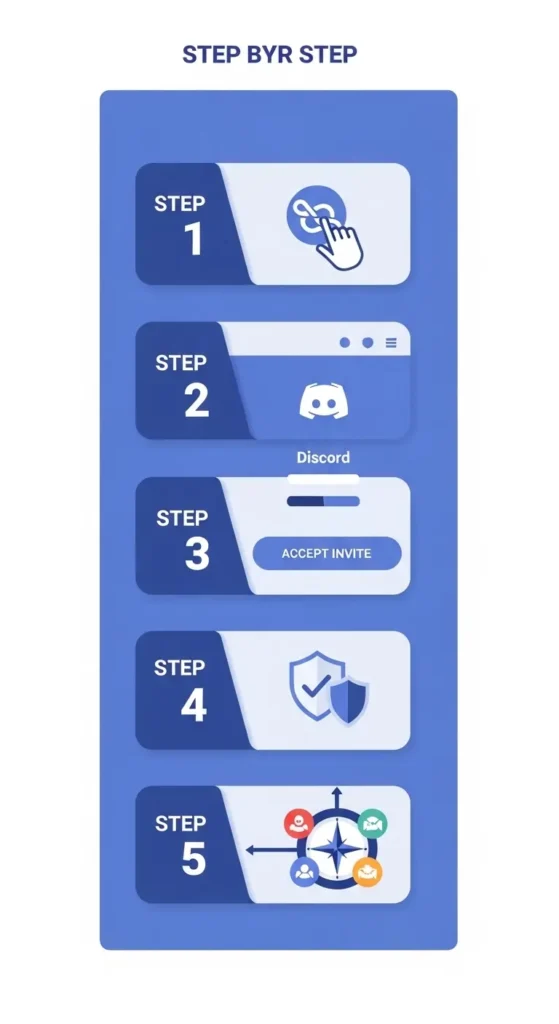
How to Join the Delta Executor
Discord Server (Step-by-Step Guide)
Step 1: Click the Official Invite Link (Locate the link in the article and on the official website).
Go to the real Delta Executor website the one that ends with .com, not a fake .xyz or .net. Scroll to the footer or look for a Discord icon. Click it. That’s your golden ticket.
Never trust invite links from random YouTube descriptions or Discord DMs. Scammers love to create “official” servers that are anything but.
Step 2: Log In or Create a Free Discord Account (Use an alternate email if you want to separate your online identities).
If you already have Discord, just log in. If not, signing up takes two minutes. Use your main email or a throwaway doesn’t matter. But many experienced users create a separate Discord account just for executor communities. That way, if a server gets hacked, your main account stays safe.
I use a secondary email for all Roblox‑related Discord servers. It’s a small hassle that prevents big headaches.
Step 3: Accept the Server Invitation.
Click “Accept Invite.” You’ll land in a lobby channel that you can’t type in yet. That’s normal. The server wants to make sure you’re not a bot.
Step 4: Read the #rules Channel and Complete Verification (Prevent spam by verifying reCAPTCHA or reacting with an emoji).
The #rules channel is short but important. It tells you what gets you banned (spamming, sharing malicious scripts, begging for keys). Then you’ll see a verification prompt – usually a reCAPTCHA or a “click the ✅ emoji” button.
Do that, and within a few seconds, the rest of the server unlocks. Skip it, and you’ll be stuck in read‑only mode forever.
Step 5: Explore Channels Based on Your Interests (Visit #announcements first, then go to #scripts-sharing or #support).
Start with #announcements. Read the last few messages to catch up on any recent news. Then mute channels you don’t care about – for example, if you never play Pet Simulator, mute that channel.
I personally keep #announcements and #support unmuted, mute everything else, and only check #scripts‑sharing when I need something. That keeps Discord quiet until something important happens.
⚠️ Critical Safety Warning
How to Spot Fake Delta Executor Discord Servers
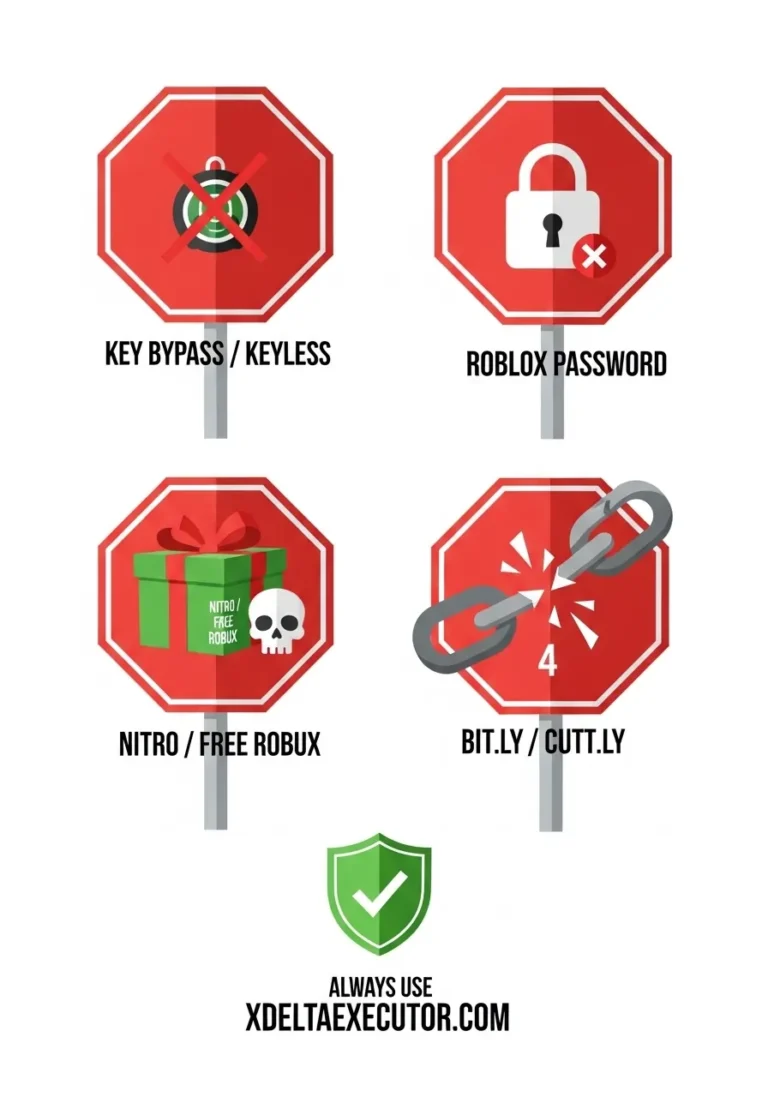
Red Flag #1:
Promises of “Key Bypass” or “Keyless” Versions
No such thing. The key system is part of Delta’s free model. Anyone claiming to have a “keyless version” is either lying or distributing malware that will steal your Roblox login. I’ve seen three friends lose accounts this way.
Legit Delta developers will never ask you to download a “special client” from a random file host. Stick to the official website and the Discord server linked there.
Red Flag #2:
Requests for Your Roblox Password or Personal Data
This should be obvious, but people still fall for it. A “support admin” DMs you saying “we need your password to verify your account.” That’s a scam. Full stop. Real support never needs your password – they can’t even see it.
If someone asks, screenshot it, report them to Discord, and leave that server immediately.
Red Flag #3:
“Nitro Giveaways” or “Free Robux” Scams
Fake servers love these. A bot posts “click here for free Discord Nitro” or “win 10,000 Robux.” The link goes to a fake login page that steals your Discord token. Then the scammer uses your account to spam the same scam to your friends.
Legitimate giveaways are extremely rare and always announced by moderators with special roles, not random bots.
Red Flag #4: Suspicious or Shortened Invite Links (Bit.ly, Cutt.ly)
Fake servers love these. A bot posts “click here for free Discord Nitro” or “win 10,000 Robux.” The link goes to a fake login page that steals your Discord token. Then the scammer uses your account to spam the same scam to your friends.
Legitimate giveaways are extremely rare and always announced by moderators with special roles, not random bots.
How to Verify the Official Delta Executor Discord Server
Also check that the server has more than, say, 10,000 members. The real Delta server is large. Fake servers often have a few hundred members and suspiciously perfect reviews.
Open your browser, type xdeltaexecutor.com (no Google search, just the direct URL). Look for the Discord icon – usually in the header or footer. Click it. That’s the real one. Bookmark it.
Beyond Discord
Other Delta Executor Social and Community Platforms
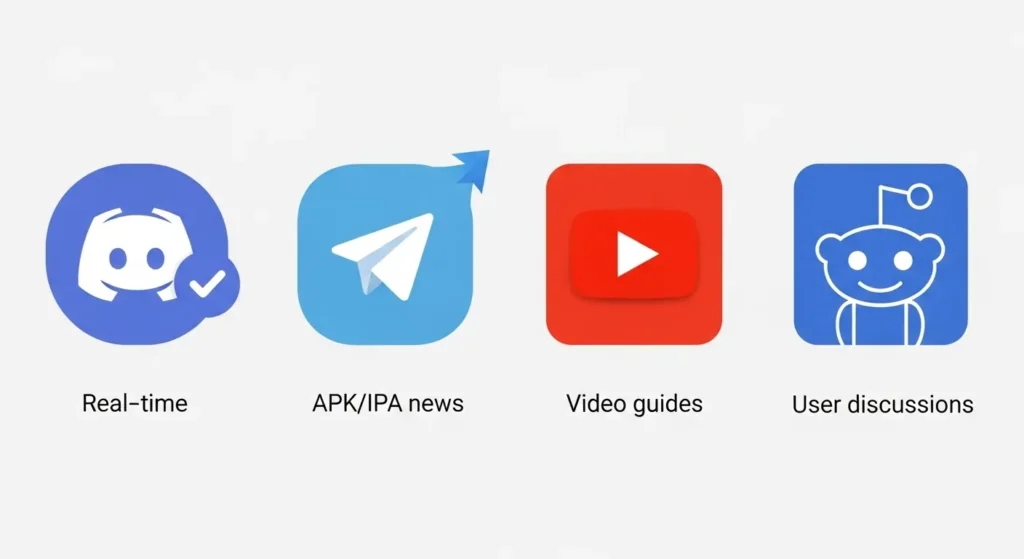
Official Telegram Channel:
Get instant APK and IPA update notifications, download links, and news.
if Discord isn’t your style, the Telegram channel is a solid backup. It’s mostly one‑way announcements – new Android APK, new iOS IPA, bug alerts. No chat clutter. Just updates.
I use Telegram on my phone specifically for Delta notifications because it uses less battery than Discord. The channel link is on the official website.
Official YouTube Channels:
Access video tutorials, script showcases, and visual installation guides.
Several YouTube creators are officially recognized by the Delta team. They post step‑by‑step installation videos, script tutorials, and explanations of new features. Watching someone inject Delta on screen is easier than reading a text guide.
Look for channels that link back to the official website in their descriptions. If a YouTuber asks you to download something from a random mediafire link, that’s a red flag.
Reddit Communities:
Discover user‑driven discussions, reviews, and unofficial tips.
Subreddits like r/ROBLOXExploiting talk about Delta regularly. The signal‑to‑noise ratio is lower than Discord – more complaints and memes. But sometimes you find niche scripts or workarounds that haven’t reached the Discord yet.
Just remember that Reddit is unofficial. Take every claim with skepticism until you verify it in the official Discord.
Pros and Cons of the Delta Executor Discord Server
Advantages of Joining the Discord Community
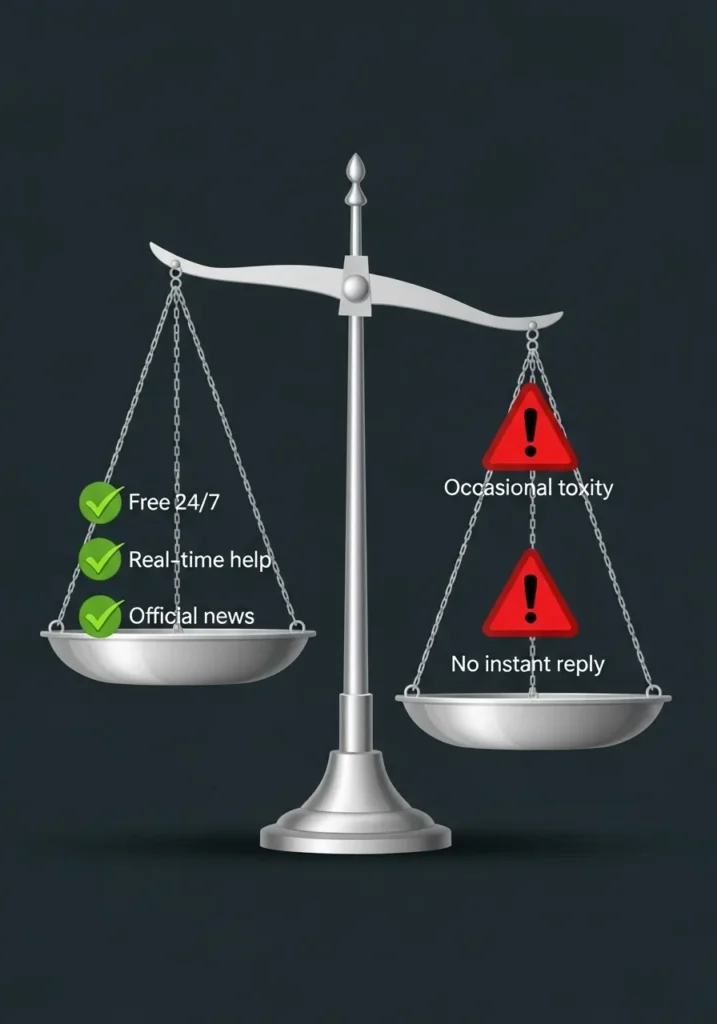
- Free 24/7 access to a massive global community of scripters.
- Direct, real‑time troubleshooting for time‑sensitive issues.
- Official source for news, preventing reliance on fake websites
The “24/7” thing is real. Because the community spans time zones from US to Europe to Southeast Asia, there’s almost always someone awake. I’ve posted questions at 3 AM EST and gotten answers from Indonesian users within minutes.
Real‑time troubleshooting saves hours of trial and error. Instead of guessing which DLL is missing, you can paste an error message and get the exact fix.
Potential Downtime and Disadvantages
- Potential for toxicity in unmoderated channels (though the official server maintains moderation).
- You might not receive an instant reply in high‑traffic support channels.
Let’s be honest: any large gaming community has toxic moments. The official server’s mods are decent, but they can’t watch every message every second. If you’re sensitive to snarky comments, stick to ticket support where it’s more professional.
Also, don’t expect instant replies during peak hours. If you post in #support at 8 PM Eastern, your message might scroll up quickly. That’s why opening a ticket is better for urgent problems.
For a step-by-step join overview, see our Delta Executor Discord guide, which covers official invites, what you usually find inside, and what to do if an invite does not work.