

Free Luau Script Validator – Check Your Roblox Script Syntax Online
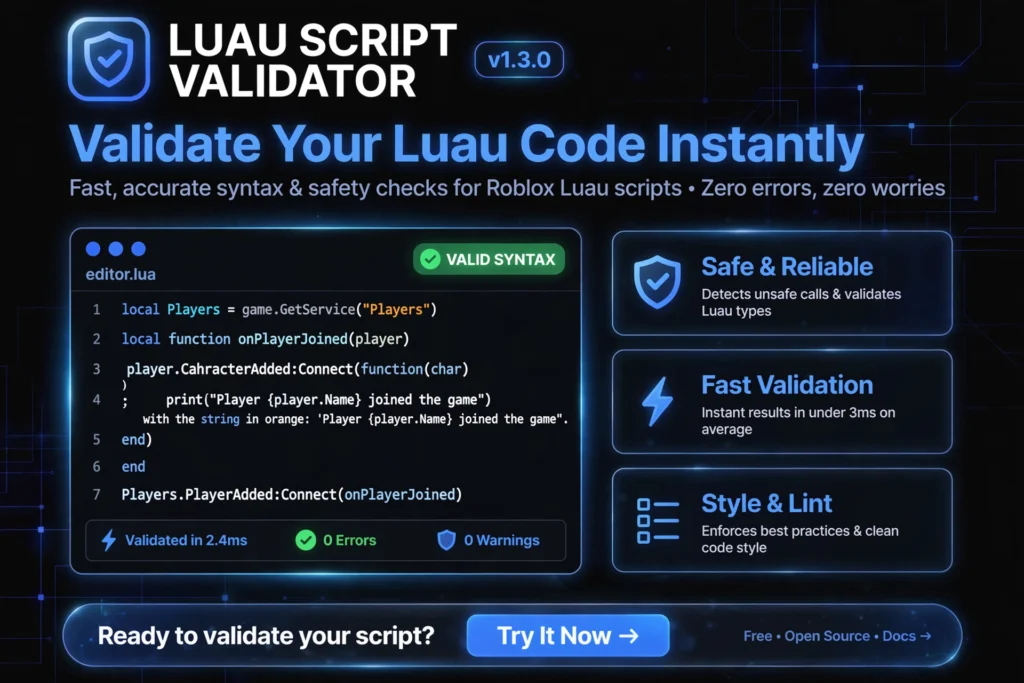
This lua validator checks whether your script parses as valid Luau, the language Roblox and Delta Executor actually compile. Paste a script, click Validate, and get syntax errors with line numbers. It is a Luau validator and Roblox script checker (a lua checker built for Roblox scripts) for players who keep hitting errors when they paste scripts into Delta.
Wondering whether your device can hold a smooth frame rate at all? Run our free FPS checker to measure your browser tab’s rendering FPS before you blame a script.
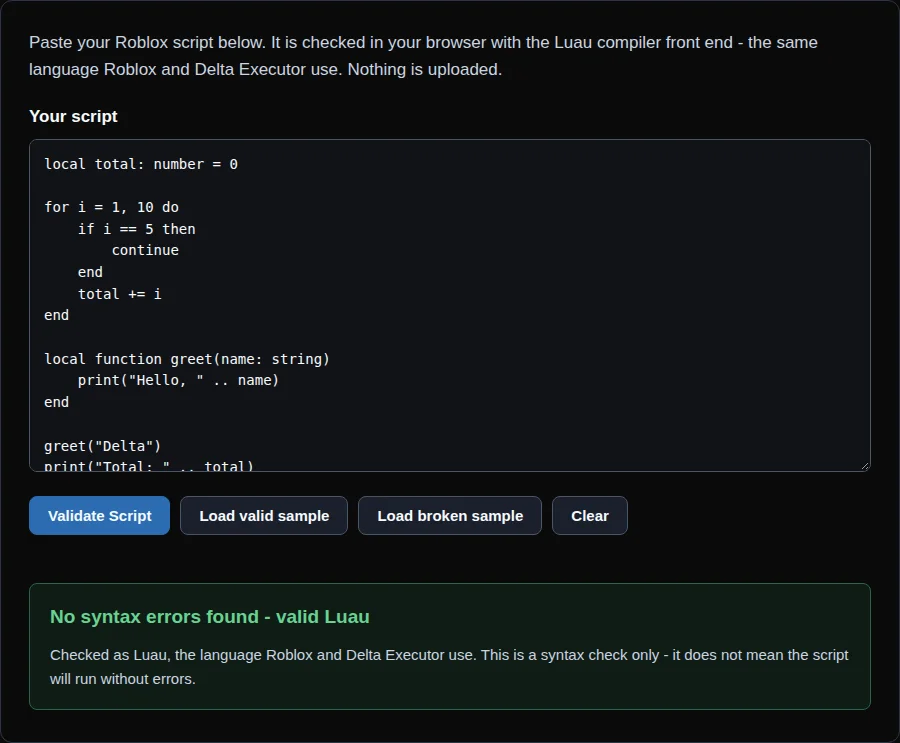
Paste your Roblox script below. It is checked in your browser with the Luau compiler front end - the same language Roblox and Delta Executor use. Nothing is uploaded.
What this checks (honestly)
- Syntax only. Missing
endkeywords, typos, unbalanced brackets and quotes, bad Luau type annotations. - It cannot catch runtime errors, outdated game scripts, wrong Roblox API usage, injection failures, or scripts that run but do nothing.
- It checks Luau (what Roblox and Delta use), not plain Lua 5.x, so valid Luau like
continueand+=passes correctly.
If syntax is valid but the script still fails in Delta, see the troubleshooting checklist below.
What this online Lua validator checks (and what it does not)
This online Lua validator checks syntax only. It reads your script the way a compiler would and reports anything that cannot be parsed.
It catches:
- Missing or extra end keywords
- Unexpected symbols and stray characters
- Unclosed or mismatched brackets, parentheses and quotes
- Malformed Luau-specific syntax such as broken type annotations
Honest limits, so you do not trust a green result too much:
- It cannot catch runtime errors. A script can parse perfectly and still crash when it runs.
- It cannot tell you whether a script is outdated for the game you are playing.
- It cannot detect injection failures or a mismatch between Delta and the current Roblox client.
- It cannot tell you why a script runs silently and does nothing.
- It does not run type checking, so it will not report type mismatches or undefined variables.
- It cannot judge whether a script is safe, and it does not scan for malicious code.
“No syntax errors found” means the script is well-formed. It does not mean the script will work.
How to use this Lua syntax checker
- Paste your script. Copy the full script into the box above, including the first and last lines. Partial pastes are a common cause of false errors.
- Click Validate. The tool parses the script in your browser. It does not execute anything.
- Read the errors and line numbers. Each error points to a line. Start with the first one, because one mistake often causes several errors after it.
- Fix and re-validate. Edit the script, paste it again and re-run the check. Repeat until the result is clean.
For “Expected ‘end'” errors, the reported line is usually where the block started, not where the missing end belongs. Check the whole block. For a worked example of this error, see our guide on the expected end error in Roblox scripts.
Common Roblox Lua validator errors decoded
These are the errors Roblox script users run into most. Wording can vary between tools and versions, so treat the examples as typical, not exact. This Roblox Lua validator reports syntax errors. Unknown global and type mismatch messages come from Roblox Studio or other analysis tools, so they will not appear here. They are explained below because you will meet them elsewhere.
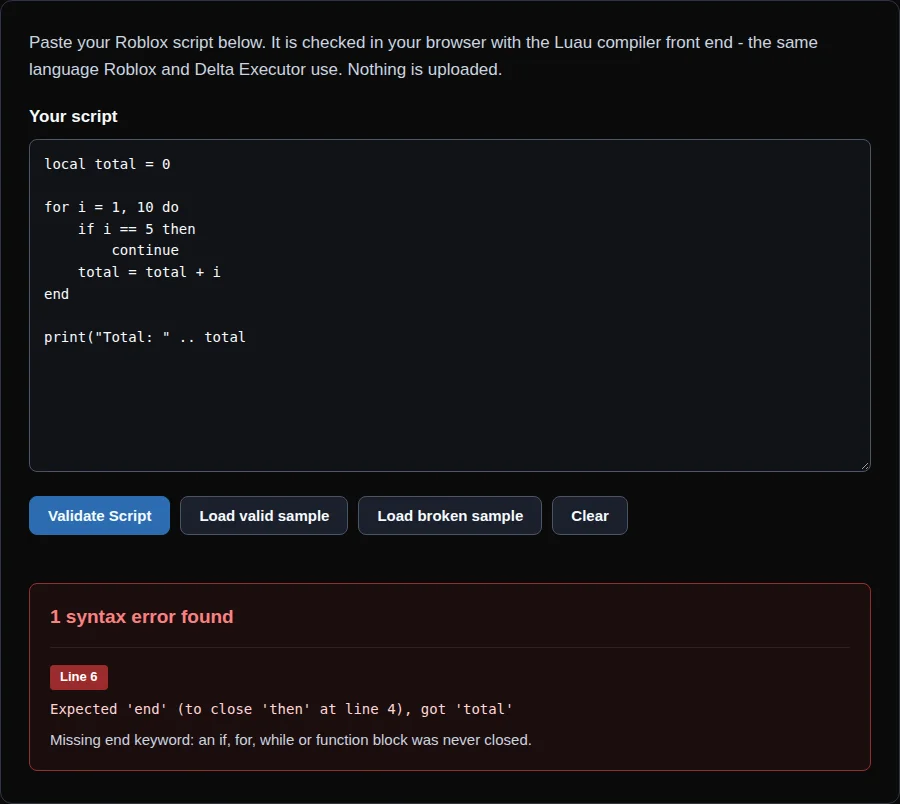
Expected ‘end’
What you see: A message like Expected ‘end’ (to close ‘function’ at line 2), got <eof>. It sometimes adds a hint about an unclosed else.
What it means: Something that opens a block (function, if, for, while, do) was never closed. The parser reached the end of the file still waiting for end.
How to fix it: Count your openers and your end keywords. Check the line number in the message, because that is where the unclosed block began. Look especially at if and else chains and nested loops.
Unexpected symbol
What you see: A message saying the parser met a symbol it did not expect. Luau’s exact message may differ.
What it means: There is a character or token in a place where the language does not allow one. Common causes are a stray ) or }, a missing operator, text pasted from a webpage, or a smart quote instead of a straight quote.
How to fix it: Go to the reported line and look at the character just before it. Delete stray brackets. Replace curly quotes with plain ” or ‘. Re-paste the script from a plain-text source. For a full walkthrough, see our guide on the unexpected symbol error in Roblox Lua.
Unknown global
What you see: A warning such as Unknown global ‘X’. This comes from Luau’s linter and type checker, not from a pure syntax check.
What it means: The script uses a variable that is not declared in the script and is not part of Luau’s built-in set. A typo creates an unknown global instead of a syntax error.
How to fix it: Check the spelling and capitalization of the name. Declare it with local before use. A script written for an executor may use functions that standard tools do not know, so an unknown global warning on those is expected and not always a real problem.
Type mismatch
What you see: A message like Type ‘string’ could not be converted into ‘number’. Roblox documents this wording for type errors.
What it means: The script declares or infers a type and then uses a different one. For example, passing text to a function that expects a number. This only appears when type checking is active.
How to fix it: Make the value match the declared type, or correct the annotation. Most scripts pasted into an executor have no type annotations, so you will rarely see this one there.
Why Luau validation and not plain Lua?
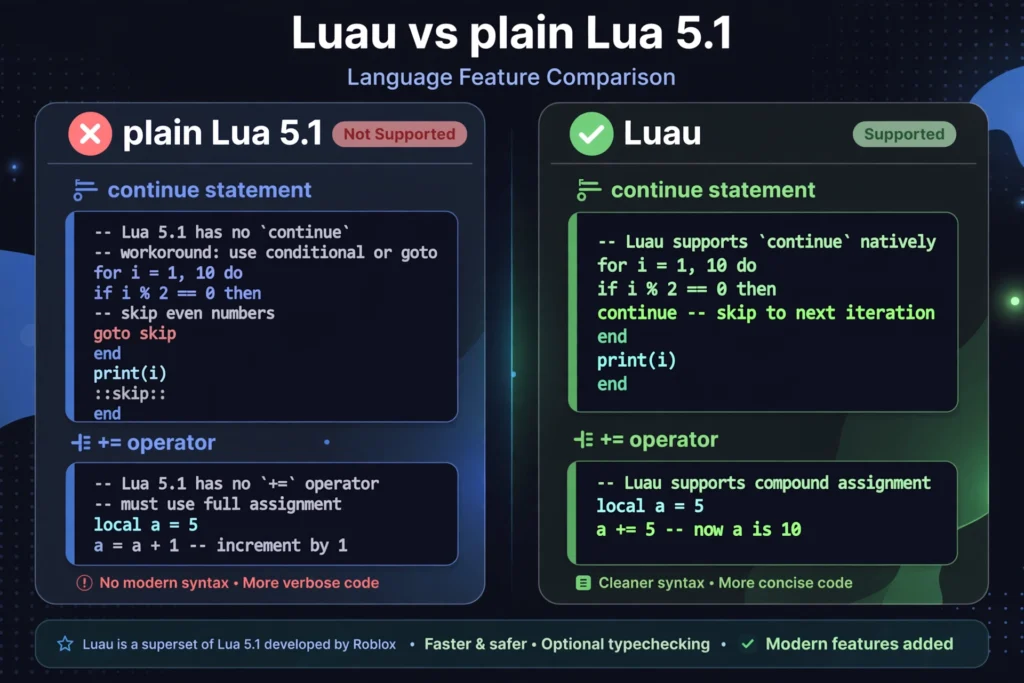
Roblox and Delta compile Luau, not plain Lua. Luau is built on Lua 5.1 and adds its own syntax.
A plain-Lua checker can false-flag valid Luau. Scripts that use continue, compound assignment such as +=, type annotations or backtick string interpolation can show errors in a Lua 5.1 checker even though Luau accepts them. Luacheck, a widely used Lua linter, documents support for Lua 5.1 to 5.4 and LuaJIT, with no Luau mode listed.
This Luau validator parses scripts as Luau, so valid Roblox syntax is not rejected for being “not Lua”.
Syntax is valid but the Roblox script still fails?
A clean result here only rules out syntax errors. If the script still does nothing in Delta, work through this checklist:
- Update Delta to the latest version. Community guides commonly point to a version mismatch between the executor and the Roblox client after a Roblox update. These are community reports, not official statements.
- Use an up-to-date script from a source you trust. Scripts written for older versions of a game often stop working when the game changes.
- Re-paste the script. Make sure the whole script was copied and that no characters were changed in the process.
- Check that the script supports your game. Many scripts target one specific game and do nothing elsewhere.
- Check the Delta status page for known issues before spending time on troubleshooting.
Keep in mind that third-party executors are against Roblox’s Terms of Service, as the tools’ own documentation states. Syntax checking does not change that risk.
Related error guides: why your Roblox script is not working, loadstring errors, how to read Roblox script errors, and Luau vs Lua for Delta Executor users.