

“Expected ‘end’” Error in Roblox Scripts: What It Means and How to Fix It
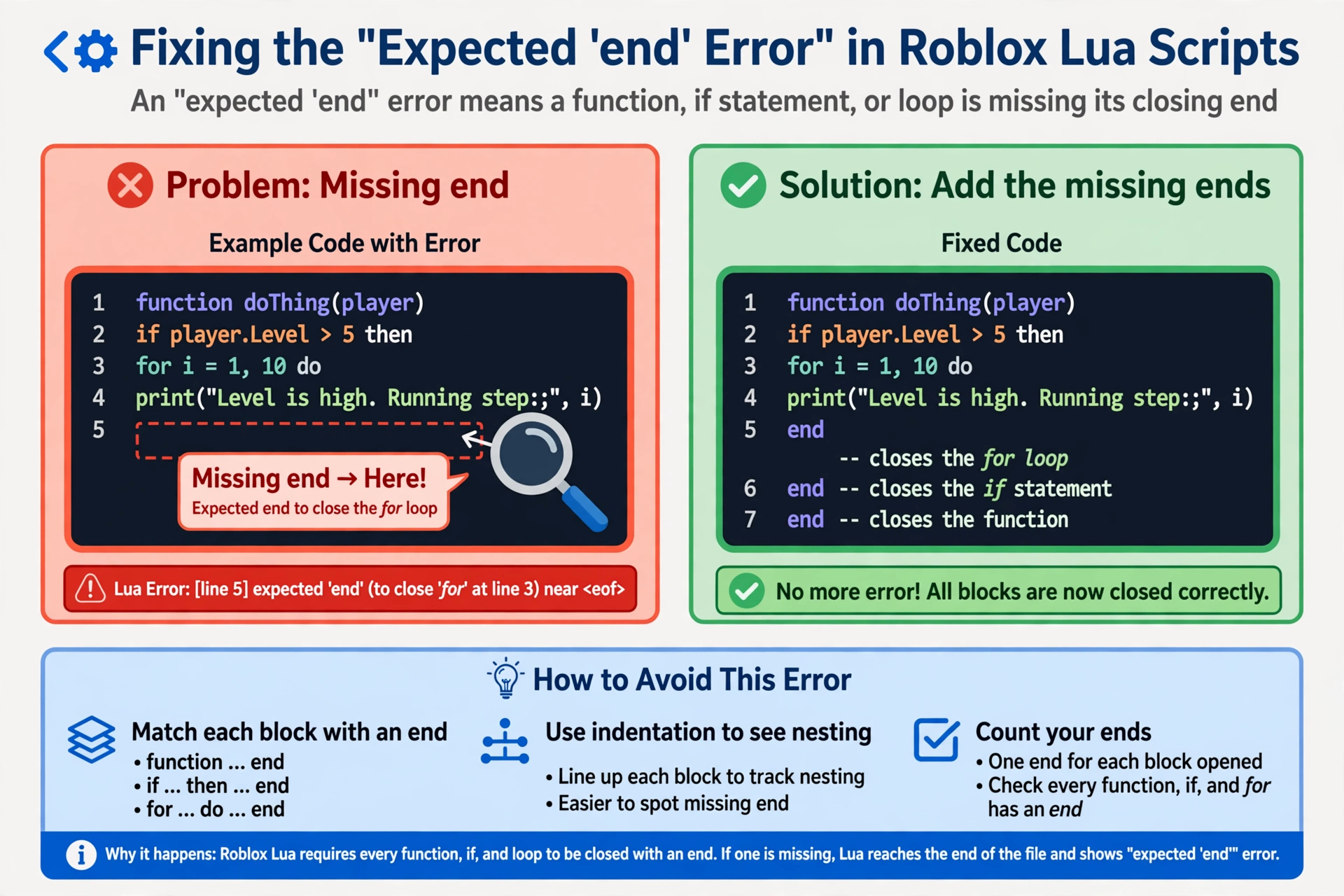
If you see an “expected ‘end’” message when running a script, Lua is telling you that a block of code was opened but never closed. This guide explains what the roblox script error expected end message means, why it shows up on the wrong line so often, and how to track down the real problem.
Quick Answers
| Question | Short answer |
|---|---|
| What does “expected ‘end’” mean? | Lua reached the end of the script (or an unexpected spot) while a function, loop, or condition was still open. |
| What is the most common cause? | A missing end after a function, an if block, or a loop. |
| What should I check first? | The last block you edited, then count every opener against every end. |
| Is there a fast way to find it? | Yes. Paste the script into the Lua validator and look at the line it points to. |
What the expected end error in Roblox scripts is really saying
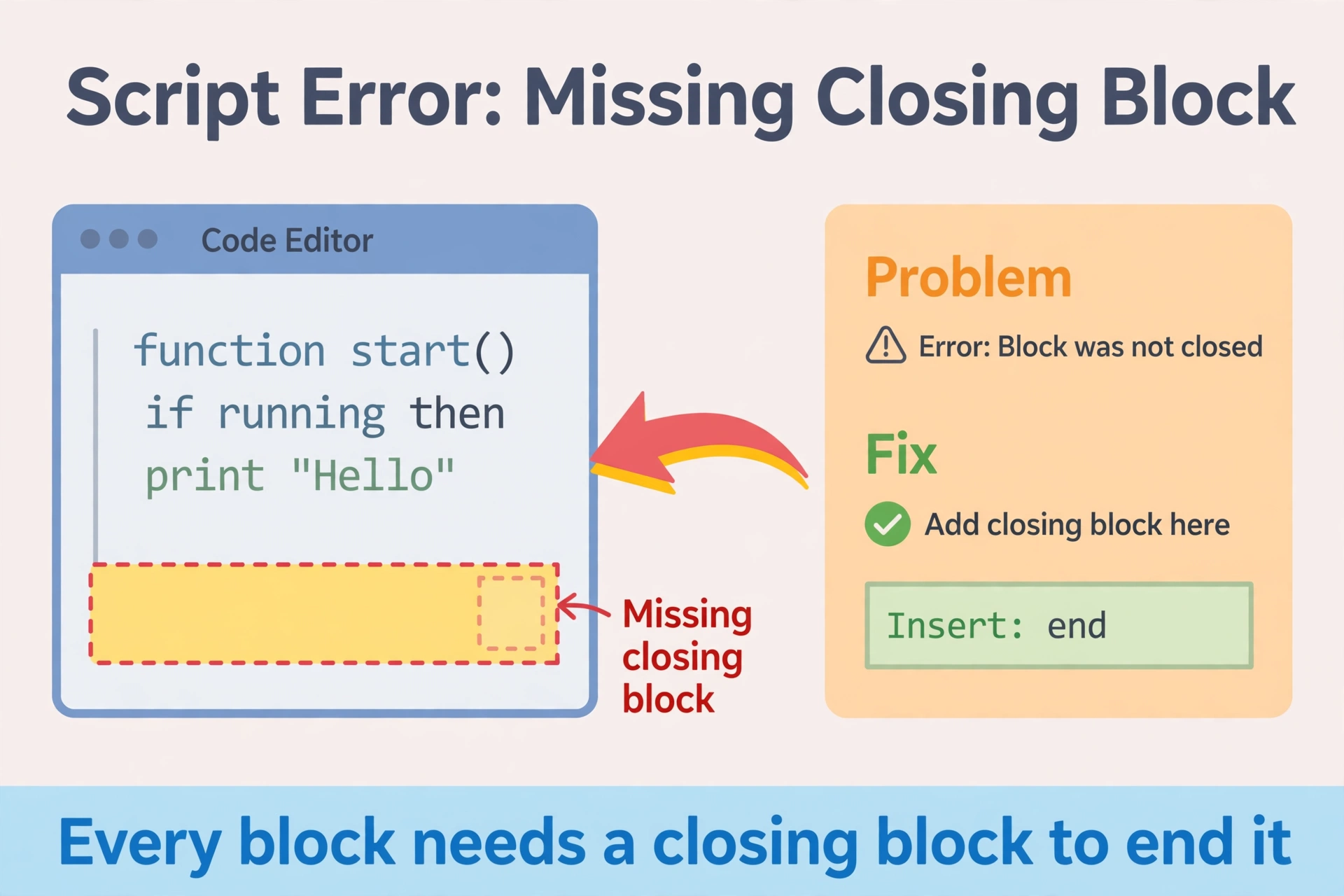
This section covers the core of any expected end roblox script fix. Lua reads your code from top to bottom and keeps track of every block you open. A function, an if statement, a for loop, and a while loop all need a matching end.
When the parser reaches a point where it still expects an end but finds something else (or the file simply stops), it gives up and reports the problem.
The key detail is that the error points near where the parser gave up, not always at the real mistake. The missing end might be, for example, fifty lines above the line number you see.
Think of it like brackets in maths. If you forget one closing bracket early on, the mistake only becomes obvious much later, when everything after it stops making sense.
In short: the error describes a symptom, and the cause is an unclosed block somewhere before it.
The 5 most common causes
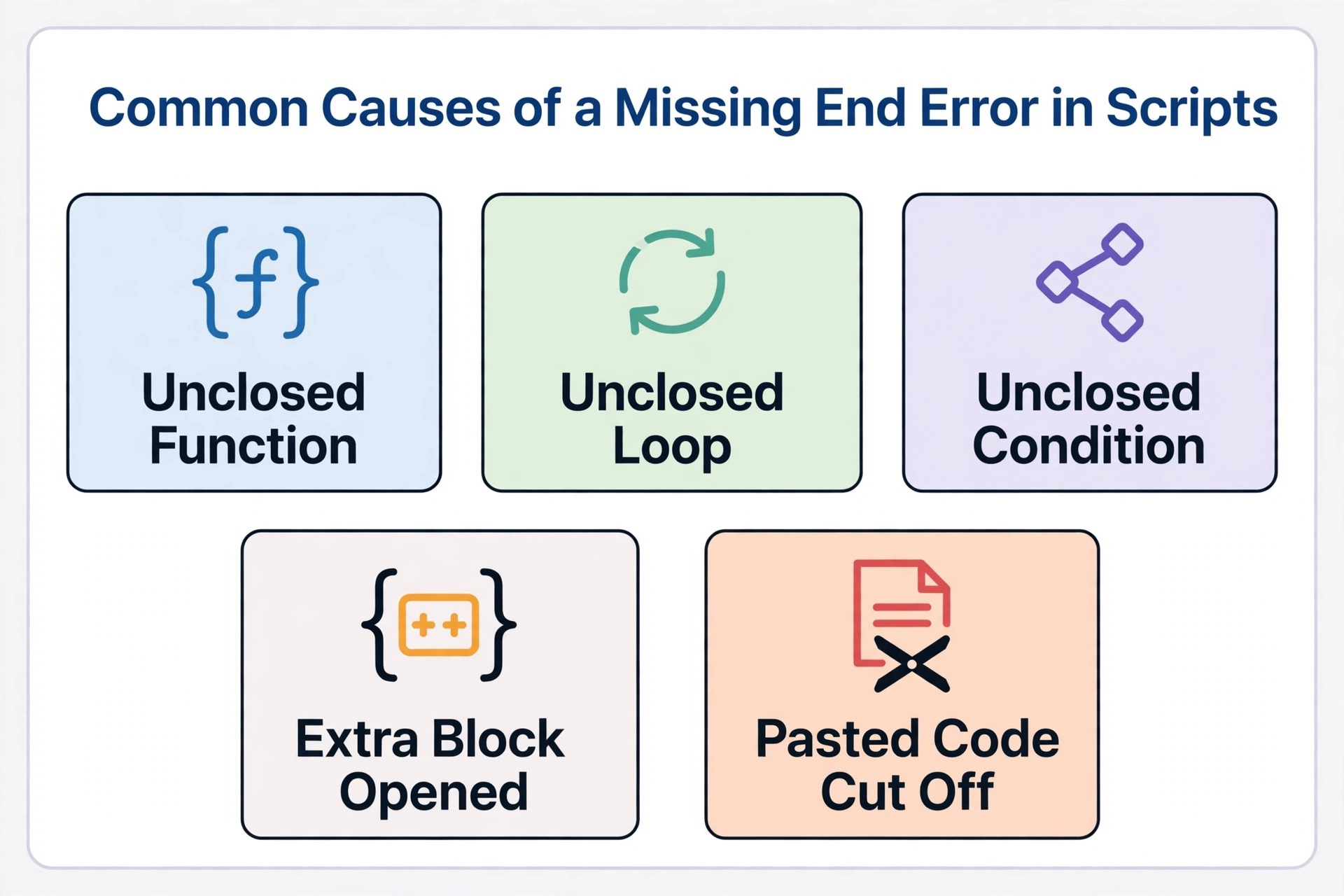
Almost every case of the expected end error lua falls into one of these five groups.
1. Missing end for a function
You wrote a function and never closed it. This often happens when you add a nested helper function inside another one and close only one of them.
2. Missing end for an if
An if block needs its own end. If you add an elseif or else branch, the single end still goes at the very bottom of the whole chain, not after each branch.
3. Missing end for a loop
for and while loops each need an end. A repeat loop is the exception, because it closes with until instead.
4. An extra end somewhere else
Sometimes you have too many end words, not too few. One extra end closes a block early, which leaves a later block unclosed and triggers the error further down.
5. A block closed in the wrong order
Blocks must close in reverse order of how they opened. The last one opened is the first one closed.
A tiny generic shape looks like this:
function outer()
    if condition then
        for i = 1, 3 do
        end
    end
end
Here the loop closes first, then the if, then the function. Swap that order mentally and you can see how a stray or misplaced end breaks the structure.
How to find the missing end
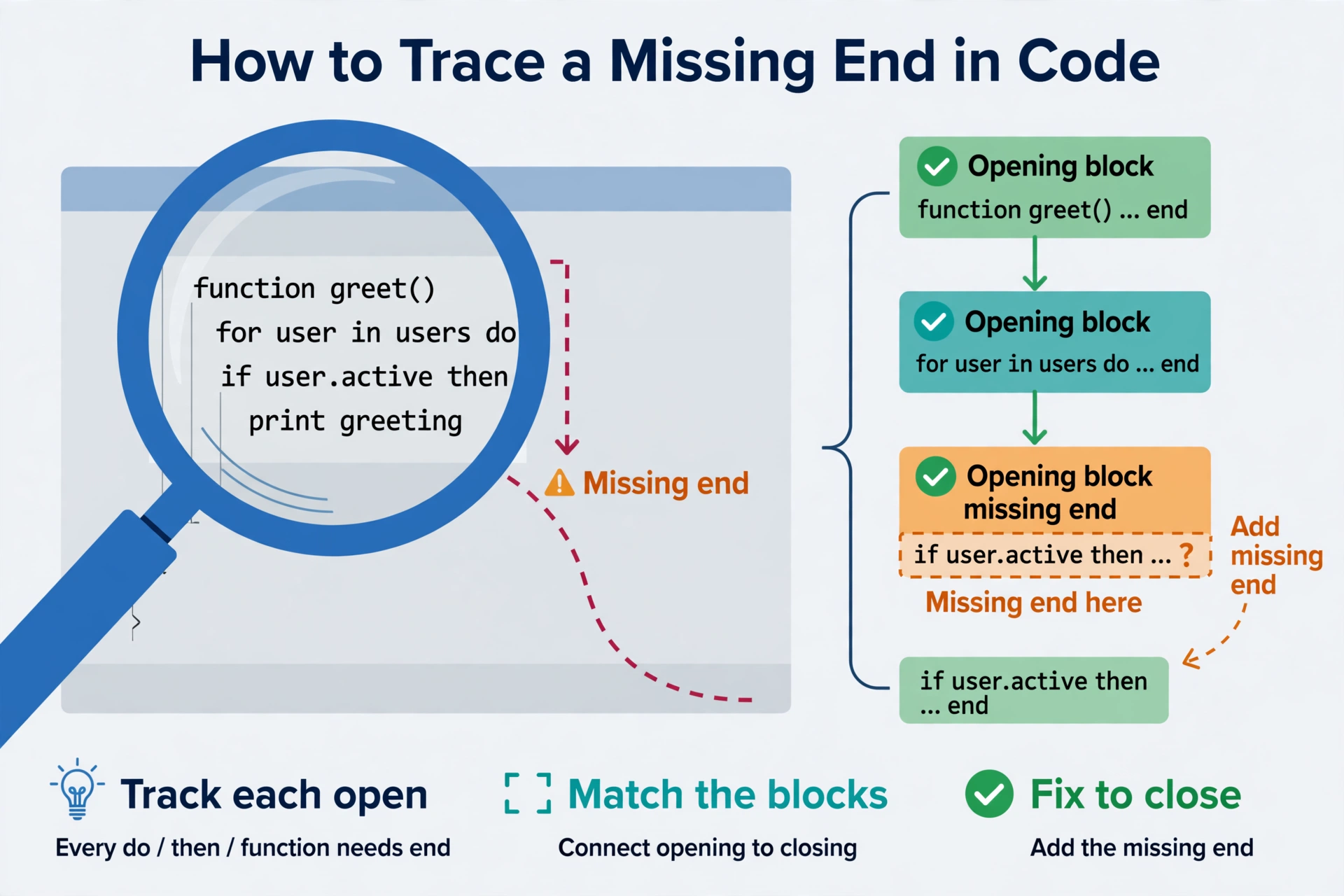
Use these checks in order. They solve most cases of the roblox script error expected end message quickly.
Read the line number. Treat it as a hint about where Lua gave up, then look upward from that spot.
Check the last block you edited first. If the script worked before, the mistake is almost always in the most recent change.
Count opens and closes from the top. Each function, if, for, and while adds one open block. Each end removes one. If the totals do not match, you have found your problem.
Fold or indent the code. Consistent indentation makes a missing end visible, because the next block will sit at the wrong depth. Many editors can also fold blocks, so an unclosed one stands out.
Use the Lua validator. Paste your script into the Lua validator and let it point at the line where the structure breaks. It is a quick way to narrow the search before you start counting by hand.
Fix it step by step
A careful process prevents one error from turning into three. Follow this order for any expected end roblox script fix.
Back up the script first. Save a copy before changing anything, so you can always return to the starting point. Fix one block at a time. Start with the block you suspect, add or remove a single end, and stop there. Re-check after each fix. Run the validator or the script again. If the error moves or changes, that tells you something useful. Do not paste random fixes from comments. Advice copied from a comment thread rarely matches your exact code. A fix that suits someone else’s structure can break yours.
If you want a stronger grounding in how blocks work, the Lua basics guide walks through functions, conditions, and loops in plain language.
When it is not a missing end
Sometimes the message is misleading, and the cause is something else that confuses the parser.
A stray character. An extra bracket, quote, or symbol can make Lua misread everything after it, which then ends in an expected end complaint.
A comment closed wrongly. Multi-line comments use a specific opening and closing marker. If the closing marker is wrong or missing, a large part of your code gets swallowed as a comment, including some end words you needed.
A copied script with pieces missing. If you paste code from a page and part of it was cut off, the end of a function may simply not be there. Compare what you pasted with the original source and make sure nothing was lost.
Browse the script library pillar for general background on how scripts are organized, and always read through pasted code before you run it.
FAQ
Does this error mean my script is broken?
Not necessarily, it means the structure has a small gap that stops Lua from reading it. Most of the time the logic is fine and only a single end is missing or misplaced.
Why does the line number look wrong?
The line number shows where the parser stopped, not where the mistake began. Lua only notices the problem when it runs out of places to put the missing end, so look upward from that line.
Can the validator fix it for me?
No, the Lua validator helps you locate the problem but does not rewrite your code. You still decide where the end belongs.
Is it an executor problem?
Usually not, because this is a syntax error in the script itself. The same code would fail to parse in any Lua environment, no matter which tool runs it.
What if I add an end and get a new error?
That is common and often a sign of progress. A different error means Lua got past the old problem, so re-check the structure and fix the next issue one step at a time.
Should I rewrite the whole script?
Rarely, since a rewrite adds new chances for mistakes. Backing up the file and fixing one block at a time is almost always faster and safer for your time.
Related Guides
#### Related guides
- Lua validator tool
- Roblox Lua scripting basics
- Delta Executor scripts library