

Loadstring Errors in Roblox: Common Causes and Fixes
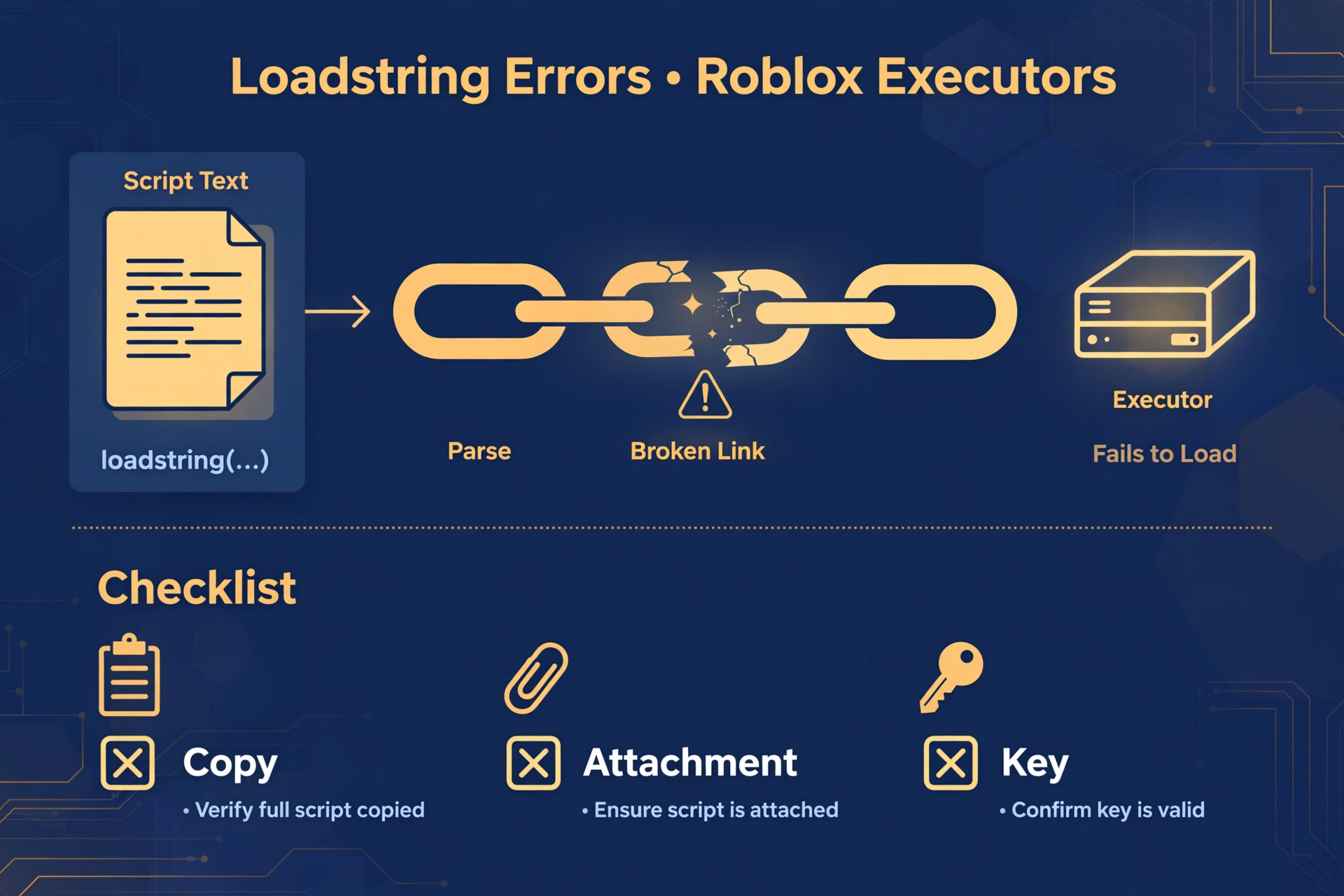
If you searched for “loadstring error roblox” or “loadstring not working”, you are probably staring at a red message right after pressing execute. This guide explains what that message usually means, what causes it, and how to narrow it down without guessing. It is written for people using Delta Executor on mobile or PC, but the logic applies to most Roblox executors.
This is an independent guide. It does not claim any tool, script, or download is safe or reliable, and it does not teach how to load scripts from links.
Quick Answers
| Question | Short answer |
|---|---|
| What is a loadstring error in general terms? | The executor could not load or run the script text it was given. |
| Most common cause? | The script text is incomplete, damaged, or no longer valid. |
| First thing to check? | Read the exact wording of the error, then confirm the script was copied in full. |
| Does it mean a ban? | No. It is a loading problem, not an account action. |
What a loadstring error in Roblox means in plain words
A loadstring error means the executor tried to turn some script text into something it could run, and that step failed.
The message does not tell you why in a friendly way. It only tells you the load step did not complete.
Think of it like opening a document that is cut off halfway. The program is fine, but the file in front of it cannot be read as a whole.
This is why a “loadstring failed error” can show up for very different reasons. The same wording can come from a damaged copy, a missing source, or a problem on the executor side.
The key point is that the error describes a failed load, not a verdict about you, your account, or your device.
The 6 most common causes
Here are the usual suspects behind a “loadstring error roblox” message, in rough order of how often people run into them.
- Script text was cut off when copied. Long scripts often get truncated on mobile, especially when you select text by dragging. A missing ending is enough to stop the load.
- Script text has a syntax error. A missing bracket, a stray character, or a bad quote mark can make the text unreadable. Copying from chat apps or web pages can silently swap plain quotes for fancy ones, which breaks things.
- The executor is not attached. If the executor has not connected to the game, it has nothing to run the text with. The result can look like a loading failure.
- The key expired. Many executors require a periodic key. When it lapses, features can stop working and errors can appear that look unrelated to the key.
- The script source is no longer available. Some scripts rely on content hosted elsewhere. If that content was removed, moved, or changed, the load fails even though nothing is wrong on your side.
- The game or executor was updated. A Roblox game update or an executor update can make older scripts stop working. The script did not change, but the environment around it did.
How to narrow it down
When “loadstring not working” shows up, do not change five things at once. Check in a fixed order so you learn something from each step.
Read the exact error wording. Note any words about unexpected symbols, missing endings, or empty results. Wording about unexpected symbols points toward damaged text. Wording about an empty or missing result points toward a source problem.
Test a known simple script in general terms. Use something very basic that you already trust, such as a plain message that prints to the output. If a simple script runs, your executor and attachment are likely fine, and the problem is probably the original script. If even a simple script fails, look at attachment and key.
Check attachment. Confirm the executor shows it is connected to the game before you run anything.
Check your key. Confirm it is still valid and was entered fully.
Check the source. Ask whether the place you got the script from still exists and still has the same content.
Going in this order separates “my copy is bad” from “my setup is bad” from “the source is bad”.
You can also run the script text through the Lua validator to look for syntax problems before you blame the executor.
Fix it step by step
If you are dealing with a “loadstring failed error”, work through these steps in order.
- Back up first. Save a copy of your current script text somewhere safe, such as a notes app, before you change anything. That way you can compare versions later.
- Get a fresh, complete copy from the original source. Do not reuse a copy that has been through several apps. Go back to the original page and copy it again, making sure you select everything from the first line to the last.
- Check the pasted text. Scroll to the very end of what you pasted and confirm it looks finished. Look for odd characters or fancy quote marks that were not in the original.
- Re-check attachment. Reattach the executor to the game and wait until it clearly shows as connected.
- Re-check your key. If the key has expired, renew it through the executor’s own process.
- Restart the app and the game. Close both fully, reopen them, and try again. This clears out stuck states that cause repeat failures.
- Do not paste fixes from comments. Comment sections often contain edited versions or “quick fixes” from strangers. You cannot tell what they do, and they may be incomplete or harmful. Stick to the original source.
If you need a place to start from, the Delta Executor script library lists scripts by category. Listing a script does not mean it will work for you or that it is safe, so treat everything with care.
When it is not your fault
Sometimes you did everything right and the error still appears.
The source was removed or changed. Scripts that depend on outside content break when that content disappears. Nothing you do locally can repair that.
A game update broke older scripts. Roblox games change often. A script that worked last week may no longer match how the game is built.
An executor-side problem. Executors can have temporary issues after updates, with servers, or with key systems. In general terms, if many people report the same failure at the same time, it is likely not about your copy.
Check the status page. Before spending an hour troubleshooting, look at the Delta Executor status page to see whether there are known issues.
FAQ
Does a loadstring error mean I am banned?
No, a loadstring error does not mean you are banned. It only means the script text failed to load or run, which is a technical issue and not an account action.
Why does it work for others but not me?
It usually works for others because their copy, key, or setup differs from yours. Compare how complete your script text is, whether your executor is attached, and whether your key is current.
Can I fix it by changing one setting?
Rarely, because the error has several possible causes and no single setting covers them all. Work through attachment, key, source, and a fresh complete copy in order instead.
Is it an executor problem?
Sometimes, but it is often a script or source problem. If a simple trusted script runs fine and only one script fails, the executor is probably not the cause. If many scripts fail, check the status page.
What if the source link is dead?
If the source is gone, the script cannot load from there, and you cannot repair that yourself. Look for the script’s current official page, or choose a different script from a source you trust.
Should I try a different executor?
Not as a first step. Switching tools does not fix a damaged copy or a missing source, and it adds new risks. Rule out your copy, attachment, key, and source first, and only then consider other options with caution.
Related Guides
- Lua validator tool – check script text for syntax problems before running it
- Delta Executor script library – browse scripts by category
- Delta Executor status page – see whether there are known issues right now