

Why Is My Roblox Script Not Working in Delta? (7 Checks)
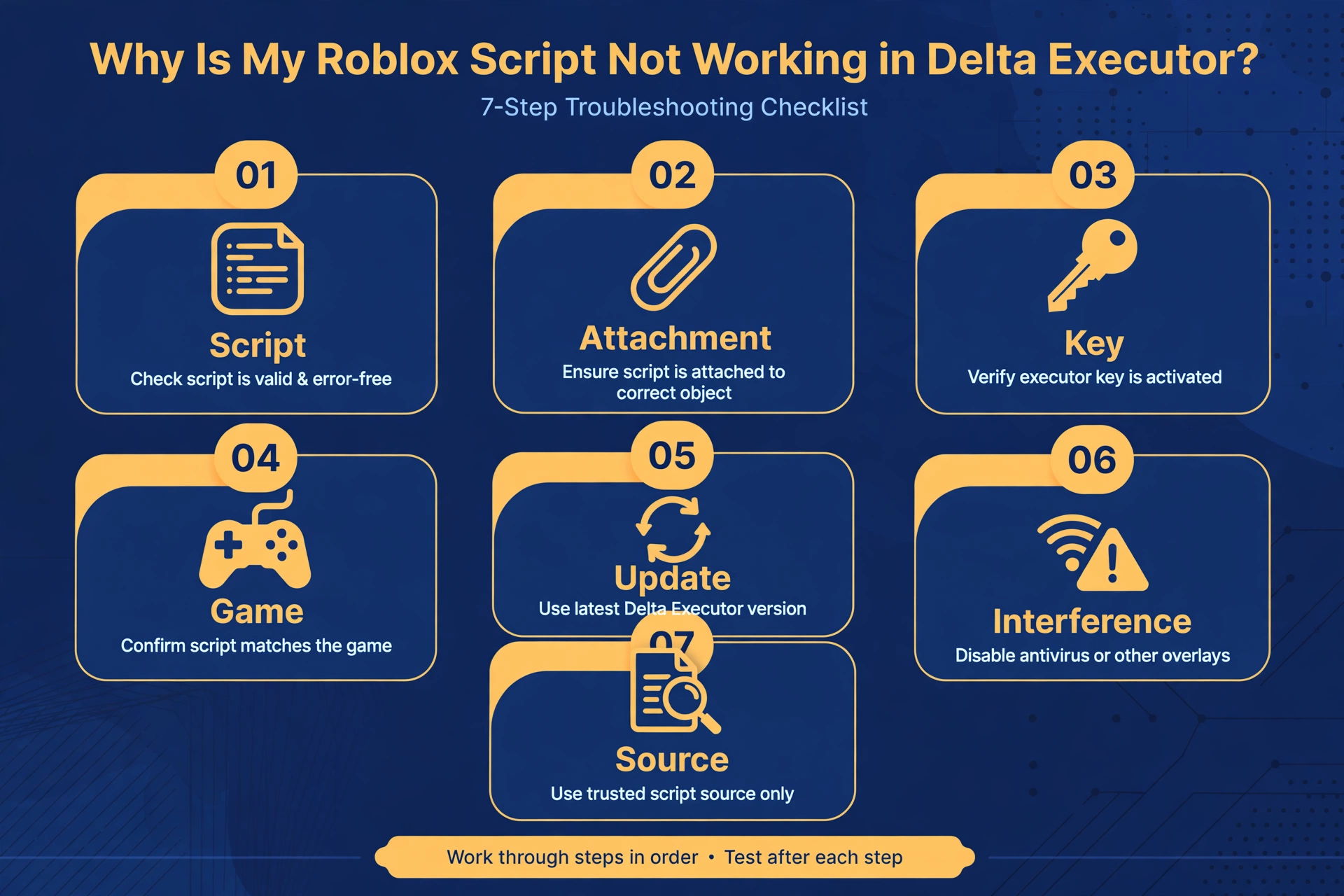
If you are asking “why is my roblox script not working,” the cause is usually small and fixable. Most failures come from a broken script, a missing attachment, an expired key, or a script made for a different game.
This guide walks through seven checks in order, from the fastest to the slowest. Work through them one at a time and stop when the problem is solved.
This site is an independent guide and is not affiliated with Delta Executor or Roblox.
Quick Answers
| Question | Short answer |
|---|---|
| What is the most common reason a script fails? | The script is broken, incomplete, or written for a different game. |
| What should I check first? | Read the error message, then confirm Delta is open and attached to a running game. |
| When should I stop and start over? | When the script was copied with missing pieces, or after two clean restarts with the same result. Get a fresh copy from the original source. |
| Does an error always mean the script is bad? | No. Setup problems, key problems, and outdated software can cause the same errors. |
Check 1: Is the script itself broken?
Start with the script, because it is the most common culprit when your roblox script not working delta search brings you here.
A syntax error means the script has a typo, a missing piece, or a broken line. The script will stop before it does anything.
Read the error message first. It often names the problem in plain words, such as an unexpected symbol or an unfinished section.
Run the script through a validator before you try it again. The Lua validator tool can flag structural problems without you needing to understand the language.
A validator only checks structure. It cannot tell you whether a script is suitable for your game or whether it is trustworthy.
If the validator reports problems, do not try to repair the script by guessing. Go to Check 7 and get a clean copy.
Check 2: Is Delta running and attached?
A script cannot do anything if the executor is not connected to the game. This is the most overlooked reason for a delta executor script not working.
Confirm these basics in order:
- The Delta app is open and has finished loading.
- The Roblox game is open and you are fully inside the experience, not on a loading screen.
- The executor shows that it is attached or connected to the game.
Attachment can drop when the game restarts, when you switch servers, or when the app moves to the background on mobile.
If you are unsure about any of this, restart both. Close the game, close Delta, then open Delta first and the game second.
Wait for the game to fully load before you run anything. Running a script too early is a common cause of silent failure.
For a general check on whether the executor itself is having wider problems, see the status page.
Check 3: Is the key still valid?
Many executors use a key system, and keys expire. If your script worked yesterday and nothing happens today, an expired key is a likely cause.
Look for a key prompt when you open the app. If it appears, your key has probably run out.
Renew it through the official process inside the app or through the official site the app points to. Do not paste your key into unknown pages or follow links from comments, videos, or chat messages.
Fake key pages exist, and they can ask for information they have no reason to need. If a page asks for anything beyond the normal key steps, close it.
After renewing, fully restart the app before you test your script again.
Check 4: Is the script made for this game?
A script is often written for one specific game. If you run it in a different game, it will usually do nothing or behave in unexpected ways.
This is a very common reason behind a roblox script not working delta problem, and it produces no obvious error.
Check the script description from wherever you got it. Good descriptions name the game the script is built for.
Also check that you are in the right mode or map inside that game. Some scripts only work in one part of an experience.
If the description does not say which game the script supports, treat that as a warning. A script with no clear target is harder to troubleshoot and harder to trust.
Browse the script library to compare how scripts are usually described and organized, so you know what a clear description looks like.
Check 5: Is something outdated?
Roblox changes often, and executors and scripts must keep up. An old version of any one of them can break the chain.
Check three things in general terms:
- The Delta app. Make sure you are using the current version from the official source.
- The Roblox game client. An out-of-date or very new client can cause attachment problems.
- The script. A script written for an older version of the game may rely on things that have since changed.
This is why a script that worked last month can stop working without any change on your side. The script did not break. The game moved on.
If the app or game recently updated, give things time. Executors can take a while to catch up, and scripts take even longer.
Check the status page for general information before you spend a lot of time troubleshooting.
Check 6: Is another script or setting interfering?
Leftover scripts can clash with the one you are trying to run. Two scripts that touch the same part of a game may block each other.
This matters most if you ran several scripts in one session without restarting.
Try a clean session:
- Close the game fully.
- Reopen the game and reattach Delta.
- Run only the one script you want to test.
Also review any settings you changed recently in the app. A setting that helped with one script may get in the way of another.
If the script works in a clean session, the problem was interference. Add other scripts back one at a time to find the one that conflicts.
Check 7: Is the source trustworthy?
Sometimes the problem is where the script came from. A script copied from a video description, a comment, or a forum post may be cut off or altered.
Missing pieces are common. A script that looks complete may be missing its opening or closing section, and it will fail every time.
Fake download pages are another risk. Pages that imitate the official site may offer files or scripts that are modified, broken, or harmful.
If you suspect a bad source, re-download from the original source. Use the official site for the app and the original author’s page for the script.
Do not assume a script is good because many people shared it. Popularity does not prove a script is complete or reliable.
For the wider picture on risk, read the ban risks guide.
FAQ
Why does a script work for others but not me?
Your setup likely differs from theirs. Differences in app version, game version, key status, or attachment can all change the result. Run through Checks 2, 3, and 5 first.
Does an error always mean the script is bad?
No, an error does not always mean the script is bad. Errors can come from a lost attachment, an expired key, or an outdated app. Read the error message and run the script through the Lua validator before you decide.
Should I reinstall Delta?
Reinstall only after the simpler checks fail. A restart of the app and the game solves most issues. If you do reinstall, use the official source only.
Can a script break my account?
Yes, scripts carry risk, and using an executor can put your account at risk. A bad script may also be a way to trick you into giving up information. Read the ban risks guide before you run anything, and never share your login details.
Why does a script stop working after an update?
Updates change how the game or the executor behaves, and older scripts may rely on things that no longer exist. The script needs to be rewritten by its author, or the executor needs time to catch up. Check the status page for general information.
What do I do if nothing works?
Start over with clean copies of everything. Restart your device, reopen Delta, get a fresh copy of the script from its original source, and test it alone in the right game. If it still fails, the script is likely outdated or broken, and you should try a different one from the script library.
Final thoughts on why your Roblox script is not working
When a delta executor script not working problem appears, resist the urge to change many things at once. Work through the checks in order and change one thing at a time.
Most problems end at Check 1, 2, or 4. The rest are rarer but still worth ruling out.
If you keep asking “why is my roblox script not working” after all seven checks, the safest step is to stop, get a fresh copy from the original source, and start again.